 Octowhisper
Talk. It types.
Nothing leaves your Mac.
Hold a shortcut, say what you mean, and clean text appears right where your cursor is. Everything runs on your Mac. No account, no cloud, no waiting.
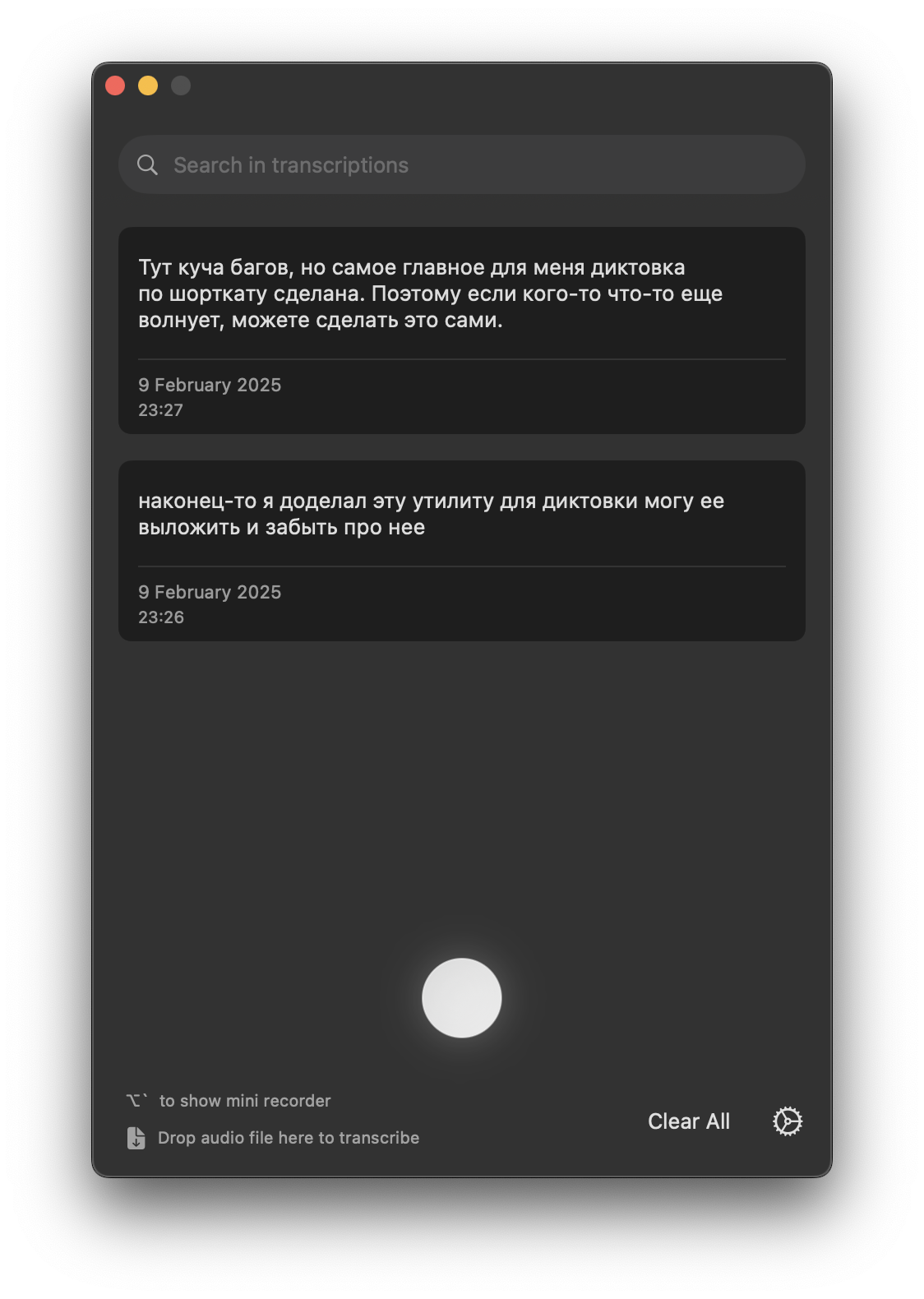
Three keys and your voice. That's the whole thing.
No window to open, no button to hunt for. It sits in the menu bar and drops text straight into Mail, Slack, your terminal, or wherever you're typing.
Hold the shortcut
Pick any combo, or a single modifier like Fn or right ⌥. Hold to record, release to stop.
Say what you mean
Ramble, stall, correct yourself. The mini recorder shows it's listening, on any mic — built-in, AirPods, or your iPhone.
Read it back, typed
Cleaned-up text lands at your cursor a moment after you let go. It's already in the app you were using.
Made for talking to your coding agent.
"okay so in login dot t s x, the useEffect — no wait, the one that reads session dot user — add a null check before it so it doesn't crash on logout"
In login.tsx, the useEffect that reads session.user: add a null check before it so it doesn't crash on logout.
Filler and self-corrections gone. File names, symbols, and identifiers stay byte-for-byte — so Claude Code or Codex gets a clean instruction instead of a rambling transcript. Turn it off any time.
Built to get out of your way.
The transcription is the easy part. The rest is making sure your words land right, every time, wherever you're typing.
Fast or accurate, your call
Pick speed for quick notes or accuracy for the hard stuff. Either way it runs on your Mac, and nothing you say ever leaves it.
Punctuation, sorted
Speak naturally and it drops in the commas, periods, and line breaks. No saying "comma" out loud.
It won't eat your words
If your mic cuts out mid-sentence, it keeps the take alive. You never lose what you just said.
Speak any language
Talk in any of 100+ languages and it figures out which one on its own.
Turn recordings into text
Got an audio file? Drag it in and get clean text back.
Works in every app
Your words land right at the cursor — Mail, Slack, your editor, anywhere you type.
Find anything you said
Everything you dictate is saved on your Mac and easy to search. Clear it whenever you want.
Start free. Upgrade when you're hooked.
Dictate for free as long as you like. Go Pro monthly, yearly, or buy it once and own it for life.
Free
Everyday dictation, for good.
- Dictation in any app
- 100+ languages
- A built-in on-device model
- Push-to-talk and a custom shortcut
Pro
Billed monthly. Cancel anytime.
- Everything in Free
- Code-aware cleanup for coding agents
- High-accuracy model downloads
- Audio and video file transcription
- Searchable history
- Priority support
30-day refund. No account needed to start.
Your voice never leaves the room.
No sign-in, no upload, no API key. The audio is transcribed on your own machine and stays there. Pull the Wi-Fi and it still works.
The things people ask first.
Is it free?
The free version stays free — dictate in any app, in 100+ languages, with no account. Pro adds code-aware cleanup, custom modes, and file transcription. You can pay monthly, yearly, or buy a one-time Lifetime license and own it forever. No trial that expires on you.
Does my voice get sent to a server?
No. Everything runs locally on your Mac. There's no account and nothing to upload, and it works with the network off.
Which Macs does it run on?
Apple Silicon (M1 or newer) on macOS 14 Sonoma and up. Intel Macs aren't supported.
Do I need an API key?
No. Models download inside the app and everything runs on-device. There's nothing to configure with OpenAI or anyone else.
Can I dictate to Claude Code or Cursor?
Yes. Octowhisper types wherever your cursor is, so you can talk through a change straight into Claude Code, Codex, Cursor, or any editor. The cleanup keeps file names and identifiers intact so your agent gets a clear instruction.
What is the code-aware cleanup?
An optional local pass that strips "um", "so like", and mid-sentence corrections, while leaving file names, symbols, and identifiers exactly as spoken. Built for dictating to coding agents like Claude Code and Codex. Toggle it off if you'd rather keep the raw text.

Give your keyboard a rest.
Download it, hold a key, and start talking. Setup takes about a minute.
↓ Download for macOS — free